Don’t be naive about keeping your Facebook profile, posts, comments, likes, groups, etc… private by relying on your settings.
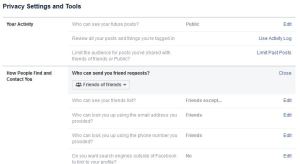
You may think you have your account ‘locked down’ with your settings set to the most private possible. Follow the steps in this article first. I recommend you follow all those steps and recheck your settings periodically. Sometimes they ‘magically’ change.
After you have locked down your Facebook account and periodically check and update your settings, you can still blow it.
- When you create, act as administrator or moderator, join and/or post in a public group, you’re visible to everyone on and off Facebook. This information is visible in search engines, too. Always use caution in these groups, especially the neighborhood and the buy/sell groups. Basically the admins of these groups accept everyone and you’re setting yourself up to be stalked and followed by anyone there. If you ever agree to buy or sell something on Facebook, use extreme CAUTION in meeting someone. Never post your home address or phone number in the group posts. Never allow someone to come to your home unless you have other adults with you. Meet the buyer/seller at your local police station parking lot. If you have a past stalking problem, don’t even use ANY online buy/sell site. Your PERSEC is too important.
- Use caution in every group you join. Your visibility in Closed groups is limited to their members. However, administrators are not able to verify the identity of every person who asks to join, as you know. If you create or act as an administrator or moderator of a Closed group, your profile is visible to everyone on Facebook.
- Secret groups are the most private, but large groups are still difficult to secure. Many military spouse groups have created support groups for sharing information. These should be used only with permission of the Commanding Officer if they are affiliated with an FRG. Unofficial spouse groups should still work to verify members and remove them when they leave the organization. Work with your organization’s online/cyber safety officer or contact. Ask. There is one.
- If you use hashtags (#PERSEC) in a status update, it becomes publicly visible to everyone who searches for that hashtag, regardless of your audience setting. Search your old posts for hashtags and remove them.
- When you Check In, you’re visible to anyone who looks at that location or business. Don’t Check In or allow others to Check In WITH you. The same post will make you both visible.
- Set your profile to restrict others’ ability to TAG you in updates and photographs. You can limit what is also allowed on your timeline. If someone tags you in a public post, it is searchable to everyone.
- If you share everything on Facebook to your Instagram account, you may be visible to more people than you want, also. Make sure that your Instagram account is set to Private. I’m not an Instagram user, but I definitely don’t recommend sharing information between Facebook and Instagram, even though they are one and the same. The same goes for Pinterest and any other social media account that allows this type of sharing.
Keep your settings locked down as much as possible and limit your exposure in groups and other media. Your safety and privacy are THAT important.
© 2019 GR All Rights Reserved
 Now Hide Me